
CART 0

Custom Invoice

$1.00

2 part or 3 part NCR carbonless sets, numbered, glued or padded

Select file

    Overview

    About Carbonless Invoices & Forms

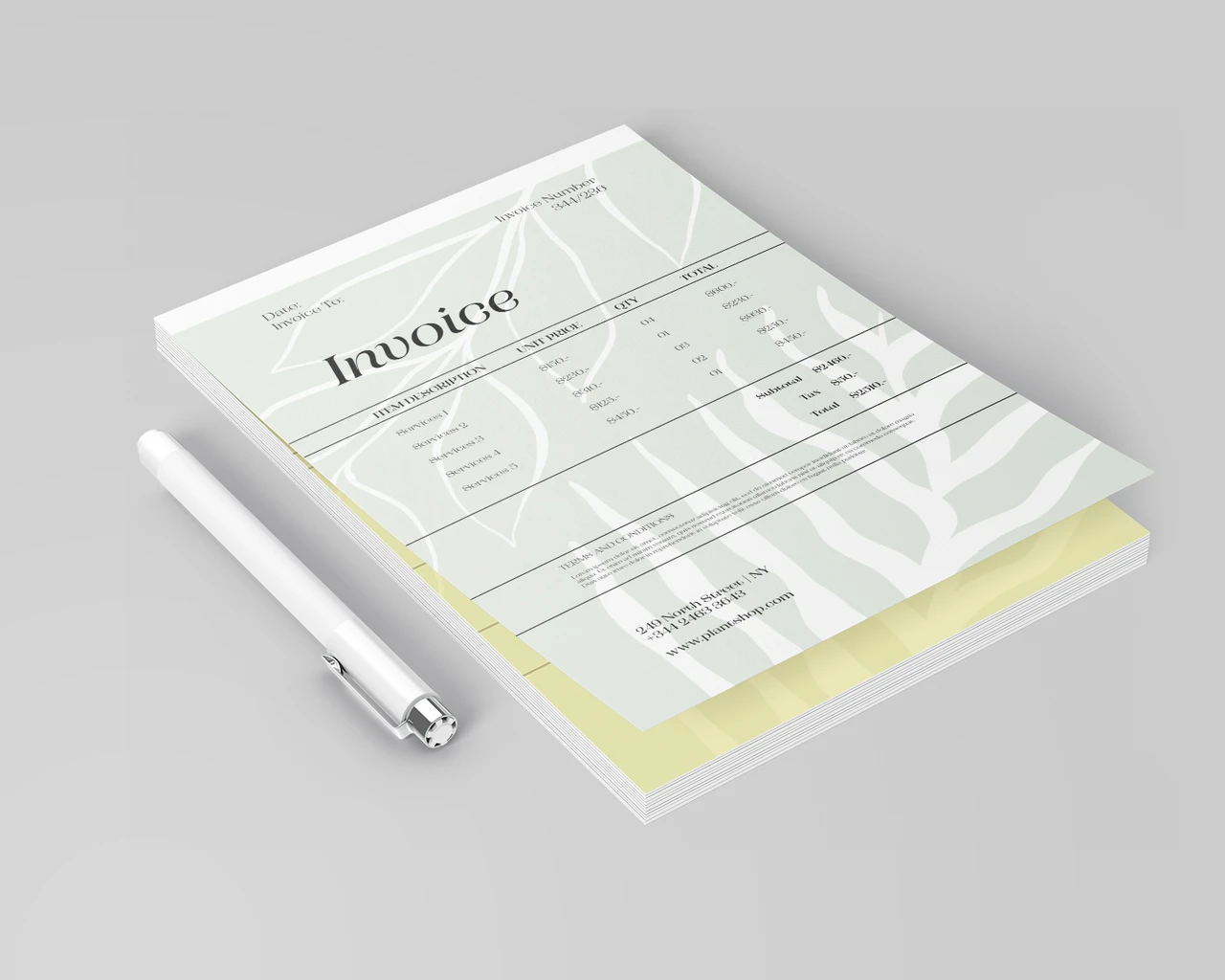
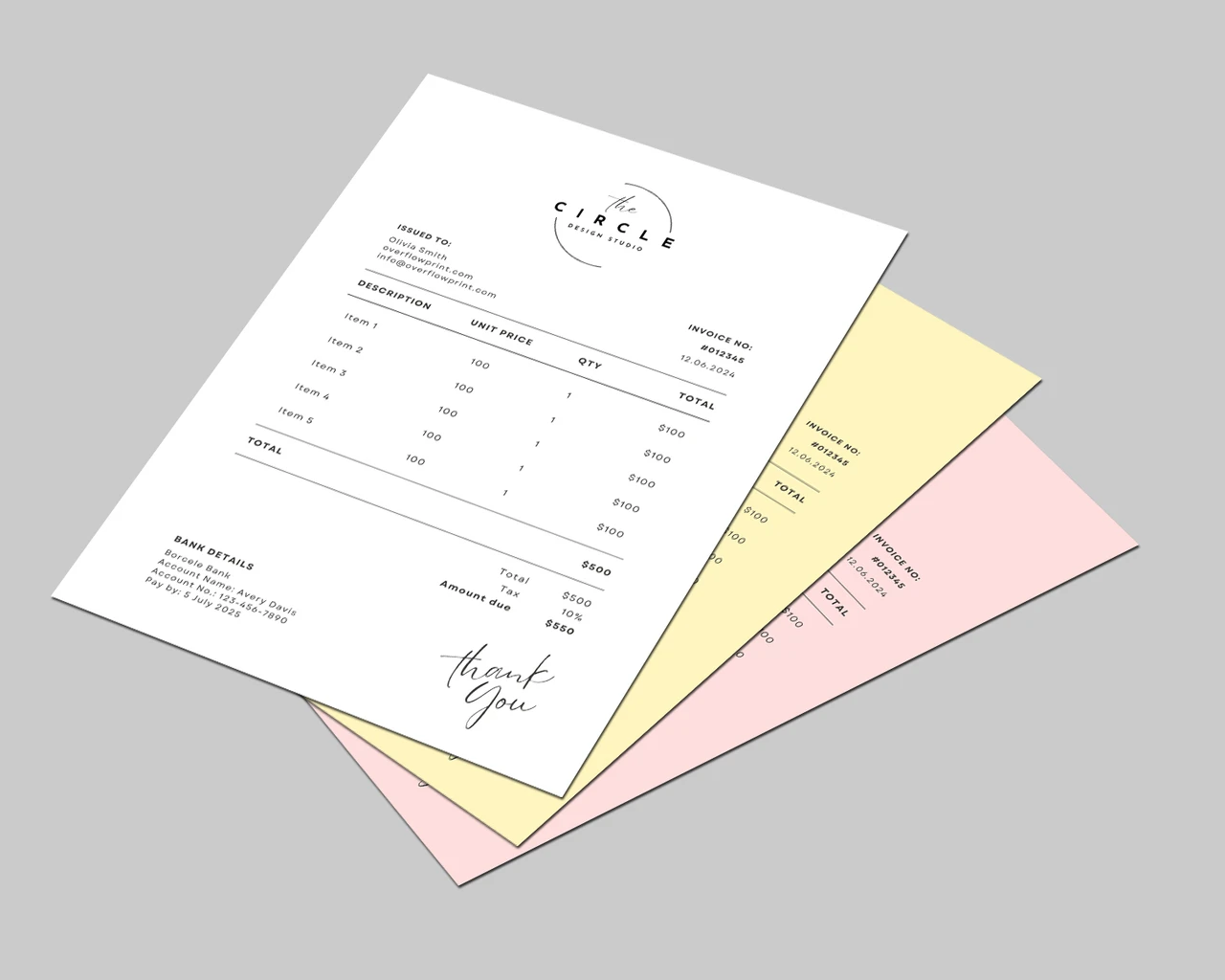
    Carbonless invoices and forms copy as you write — 2-part or 3-part NCR sets for invoices, receipts, work orders, and estimates, with sequential numbering, your choice of size, and printing in full color or black.

    Choose a glued edge or padded sets, single or double sided printing, and your starting number. Pricing starts at $105.

    Upload your form layout or ask us about setup, and your forms are printed, numbered, and collated in one week, with free local pickup in Lawrenceville or Suwanee, GA — or shipping if you prefer.

    Materials & finishes

    Finishes & materials

    60lb Uncoated Bond
    Writable notepad & invoice sheet

    Specs

    File setup

    File SetupFor a 8.5″x11″ form, your design file should be 8.5″x11″.This allows for a 0″ bleed area on all sides to ensure the background coloror image will show to the edges of the form when it is cut.YOUR DESIGNSAFE ZONE11″ with Bleed11″ Finished8.5″ Finished8.5″ with BleedSAFE ZONEDO NOT place important textsor images beyond the dotted areaTRIM LINEThis is the actual cut of thefinal design.BLEEDExtend your artwork past thisline if you want your design toreach the edges of the form.

    Carbonless sets print without bleed — keep lines and text 0.375″ from the edges and leave a clear box for the sequential number.

    Why carbonless

    Why choose carbonless forms

    Write once, copy through

    2-part (white/yellow) or 3-part (white/yellow/pink) sets.

    Numbered

    Sequential numbering from any starting number.

    Padded or glued

    Books with a glued edge, or loose padded sets.

    Your layout

    Invoices, receipts, work orders, estimates.

    How it works

    How to order

    1. Pick parts, size & numbering — choose 2 or 3 parts, size, color, sides, numbering, and binding.
    2. Add your form — upload your layout, or ask us about setup.
    3. We print, number & collate — ready in one week.
    4. Pick up or ship — grab them locally in GA, or have them shipped.

    FAQ
    Carbonless Invoices & Forms FAQ

    2-part or 3-part?
    2-part gives you a customer copy and an office copy; 3-part adds a third (pink) copy for accounting or the job file.
    Can you number them?
    Yes — sequential numbering in red or black from any starting number.
    Do they come in books?
    Choose the glued edge for tear-out books, or padded sets for loose forms.
    Can you design the form for me?
    Yes — send us your fields and logo and ask about setup.
    How fast is turnaround?
    One week, then ready for pickup or shipping.
    What file should I send?
    A print-ready PDF (or AI, PNG) at 300 DPI, CMYK, with 0.125″ bleed and text kept 0.125″ inside the trim — or design online with our free tool. Carbonless forms print without bleed.
    ★★★★★

    5.0

    Rated 5.0 out of 5 by 131 customers on Google

    Read our Google reviews
    Business Card Templates

    Choose a template

    Start from a ready-made design, or upload your own. All templates are fully editable.

    Business Cards
    Templates
    Add Text
    Select a text layer, then bend it along a curve.
    Uploads

    Click or drop your logo / image

    Graphics

    Click to add. Edit fill, border & opacity from the top toolbar.

    Background color
    Swatches
    CMYK
    Product options
    More

    Photos, QR codes, etc. (v2)

    Align to page
    Layer order

    Select a layer on the card, then align or reorder it. Shortcuts: ] / [ to front/back, ⌘] / ⌘[ forward/backward.

    Text alignment
    List style

    Toggle on/off by tapping again. Works per line of the selected text.

    Spacing
    3.5 in
    2 in
    3.5″ × 2″
    Front
    Back
    ⚙

    Finished with your design?

    Log in to save your project and access it in the future.

    Drag-free preview
    Design preview

    Review your design

    Double-check the following details before you continue.

    • Text is clear and easy to read
    • Information is spelled correctly
    • Images are sharp with no blurring
    Design preview

    Choose your options

    Select quantity, paper, and finishing. Your design is saved.

    Scroll to Top